
 Documentation
Publish the configured integration
Before you start
Select the partner entity and the relevant manager program. Confirm application or program approval, source vault, share class, current experience or wrapper, and the authority required by the action.
Follow the task
-
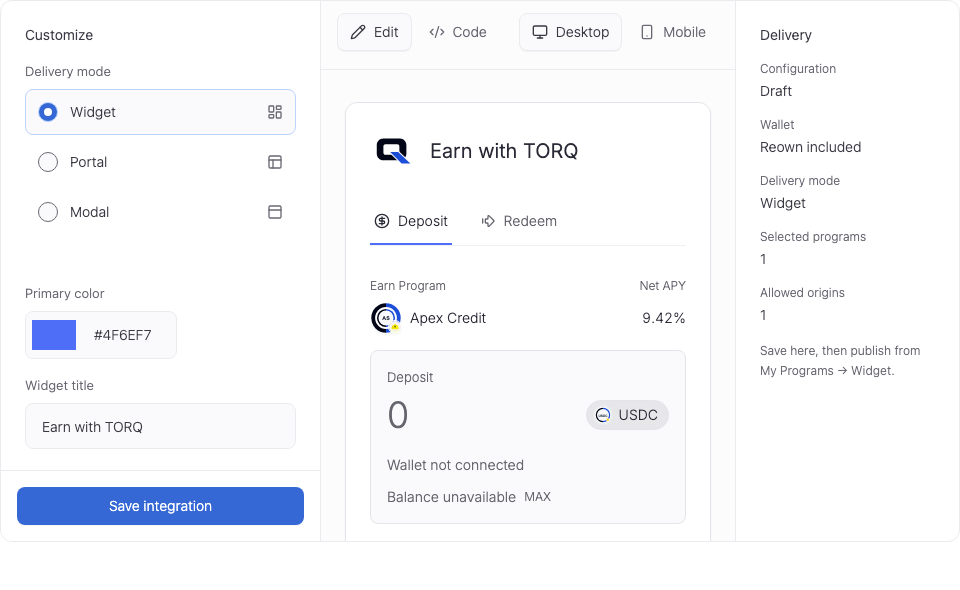
Open the saved integration and review its current state, source, program, and configuration.
-
Use the provided publication or integration instructions where that capability is enabled. Keep environment and access requirements intact.
-
Check the configured integration in its target environment and verify its source and available investor actions.
Related settings
Use the detailed procedure for the task's field meanings, conditional paths, and operating constraints.
The Partner pages and controls lists the current application locations, registered input controls, and supported action inputs. Read-only values are distinguished from editable forms.
Check the outcome
After a change, use its operation or transaction reference to find the saved record. Reload before relying on new values.
A pending approval or signature shows progress. Check the action-specific result described in the procedure.
Resolve a blocked task
Check the active account, entity, network, authority, required saved dependencies, validation, and data freshness. If an operation is already pending, inspect it before submitting another action.
Use Troubleshooting for missing records, expired items, stale sources, rejected wallet steps, and delayed saved state.