
 Documentation
Tranches
Open Tranches
Open Vault → Settings → Tranches. This tab appears only for vaults with a supported tranche configuration.
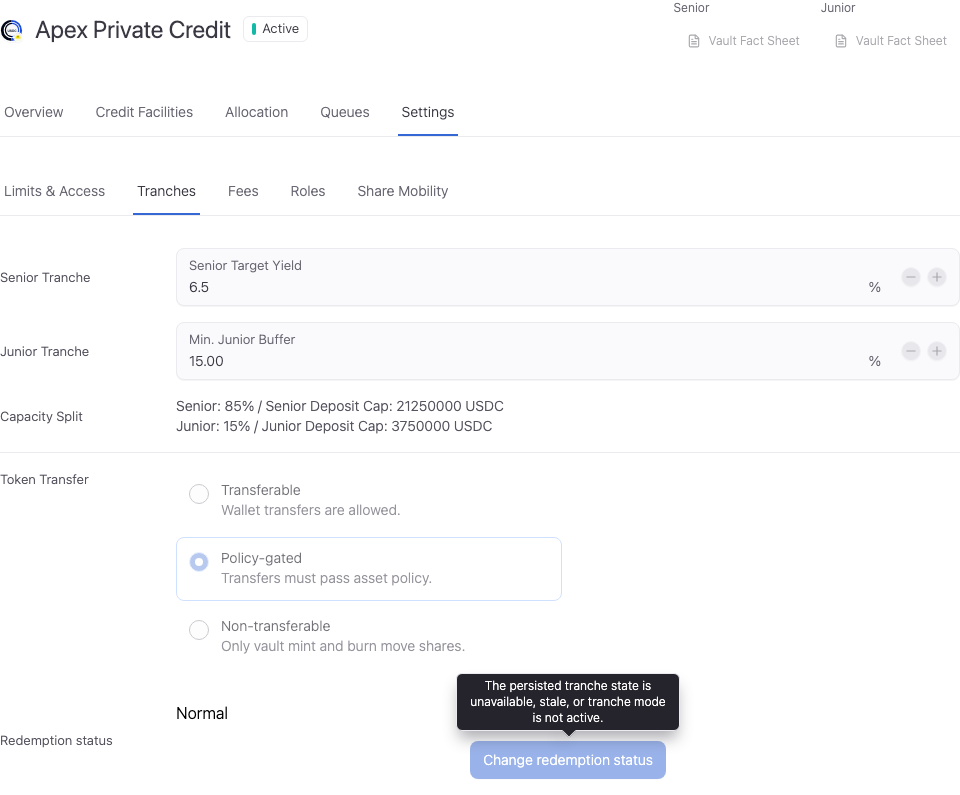
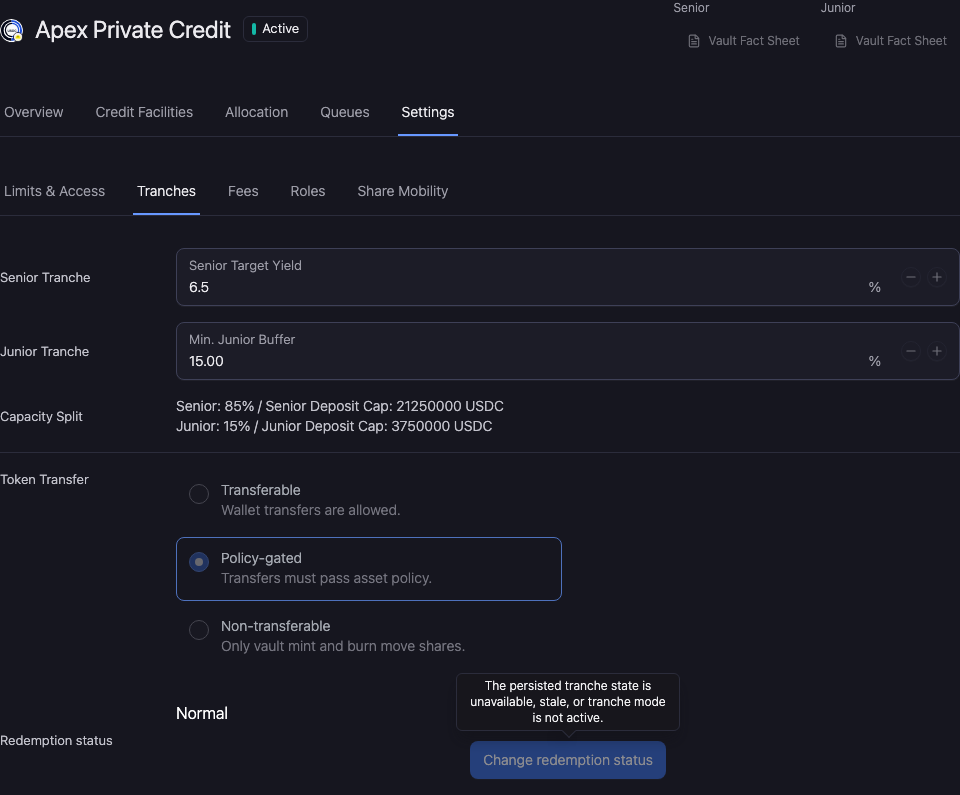
Review the tranche settings
Senior Target Yield is the configured senior target. Min. Junior Buffer is the required junior protection setting. Neither value guarantees yield or makes Senior claims risk-free.
Review Capacity Split with the total tranche capacity and the resulting Senior and Junior capacities. Check the units and whether the displayed limit is finite or Unlimited.
Token Transfer distinguishes transferable, policy-gated, and non-transferable behavior. Policy-gated transfers must pass the applicable asset policy.
Check deposits and exits
Before accepting capital, review the required junior buffer, tranche capacities, and the investor-facing share class. Inspect each tranche's redemption and claim state separately where surfaced.
Review and verify the change
Open Workspace Update and check the vault, selected facility, changed values, and signing wallet. Metadata-only updates and updates that include an onchain write have different execution steps.
Complete the required approval or wallet action. Wait for the saved value to appear, reopen the same record, and reload. A wallet confirmation alone does not establish the final saved state.
If the saved value has not updated, check the operation status and freshness before resubmitting. Keep the original transaction or request reference to avoid duplicating a pending action.