
Overview
Product manual for operating Torq vaults, credit facilities, assets, markets, oracles, IRMs, allocation, routing, roles, partners, and incidents.
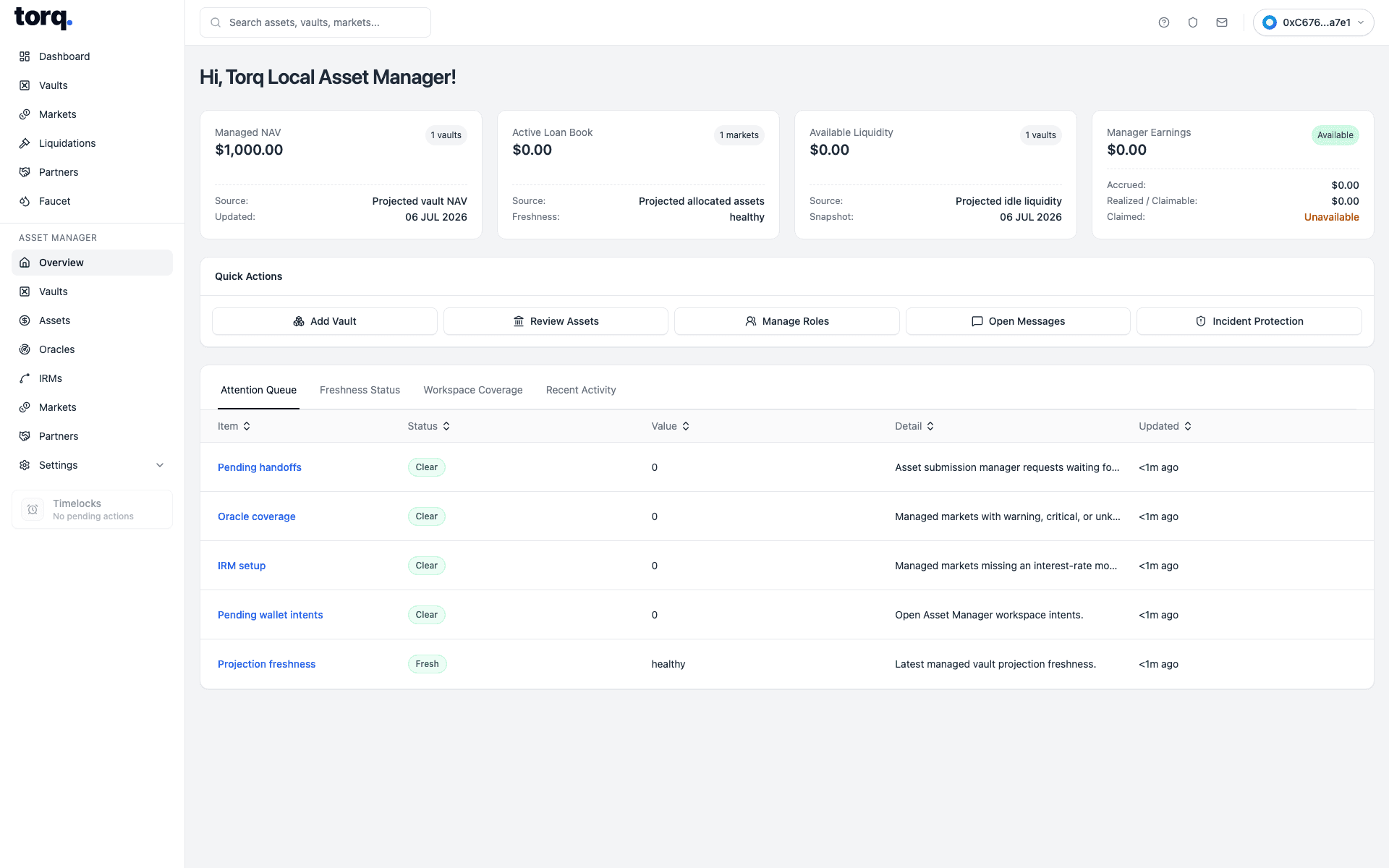
Asset Manager is the workspace for operating vault programs and their connected credit facilities. It covers vault setup, facility attachment, asset listing, oracle and IRM policy, market fields, allocation, routing, Distressed Recovery Funds, partners, public profile, AI agent review, messages, roles, and incidents.
Exact Add Vault, vault management, allocation, facility, role, and partner fields are listed in Input Field Reference and Asset Manager Vault Management Fields.
Distressed Recovery Funds is the Asset Manager workspace for assigned recovery funds. It provides the operating record for epochs, controlled acquisitions, side pockets, direct sales, auctions, RFQs, proceeds, fees, pauses, and activity. The originating vault retains its own recovery accounting.
| Visible field | What the user enters or selects | What it is for |
|---|---|---|
Search | Type a vault name, asset symbol, manager, tranche mode, or status. | Filters the vault listing. |
Featured vaults | Click a featured vault card. | Opens a highlighted vault detail page. |
Vault | Click the vault name or row. | Selects the vault to inspect or deposit into. |
Class | No input. Read Single Share, Senior, or Junior. | Shows the share mode exposed by the vault. |
Assets | No input. Read the projected asset amount and USD value. | Shows vault assets from indexed state. |
Coverage | No input. Read debt or coverage state. | Shows whether the vault has active facility exposure. |
Liquidity | No input. Read the visible liquidity amount. | Shows projected cash available for deposits or exits. |
Yield | No input. Read the displayed yield. | Shows projected yield context where available. |
Vault Logo | No direct upload on this form; choose Deposit Asset. | Shows the generated vault logo from the selected asset. |
Vault Name | Enter a vault name. | Sets the vault display name used for deployment. |
Deposit Asset | Select an approved base asset. | Sets vault asset, decimals, icon, and asset-specific defaults. |
Curator | Select a saved curator wallet. | Sets curator authority for the vault. |
Allocator | Select a saved allocator wallet. | Sets allocation authority. |
Guardian | Select a saved guardian wallet. | Sets emergency/guarded-operation authority. |
Fee Recipient | Select the saved fee recipient wallet. | Sets where fee cash/accounting outputs route. |
Fee Mode | Choose BORROWER_MANAGER_SPREAD or DEPOSITOR_PERFORMANCE. | Selects the fee model. |
Manager-Spread (max. 2%) | Enter 0 to 2 percent. | Sets manager spread charged through borrower interest. |
Performance Fee | Enter 0 to 50 percent. | Sets depositor performance fee where enabled. |
Management Fee | Enter 0 to 5 percent. | Sets depositor management fee where enabled. |
Vault Type | Choose Single Share or Senior/Junior Tranche Vault. | Sets whether tranches are deployed. |
Senior Target Yield | Enter 0 to 100 percent when tranching is enabled. | Sets senior tranche target yield. |
Minimum Junior Subordination | Enter 0 to 100 percent when tranching is enabled. | Sets required junior protection. |
Allow tranche token transfers, subject to policy | Toggle transfer policy on or off. | Sets tranche transfer behavior. |
Vault Deposit Cap | Enter maximum total vault deposits, or use the unlimited toggle. | Sets total deposit capacity. |
Per-User Cap | Enter maximum deposits per account, or use the unlimited toggle. | Sets account-level capacity. |
Minimum Deposit | Enter minimum accepted deposit, or enable No Minimum. | Sets minimum deposit threshold. |
Total Tranche Deposit Capacity | Enter total tranche capacity, or use the unlimited toggle. | Caps Senior/Junior tranche deposits. |
User Access | Select the deposit access mode. | Sets whether deposits are open or gated. |
Enable withdrawal rate limit | Toggle withdrawal-duration policy on or off. | Activates or disables withdrawal-duration checks. |
Amount per window | Enter asset amount available per window. | Sets withdrawal amount per policy window. |
Window length seconds | Enter hours, minutes, and seconds. | Sets withdrawal policy window length. |
Policy start Unix seconds | Enter or select policy start time. | Sets when the policy becomes active. |
Policy end Unix seconds | Enter or select policy end time. | Sets when the policy expires. |
Save Changes | Click after reviewing changed settings. | Submits the changed vault settings. |
Cancel | Click without saving. | Discards local edits. |
Select market | Choose the shared market to attach to the vault. | Sets the vault-market relationship. |
Max Capital Envelope | Enter max vault capital for the selected market, or mark unlimited. | Caps total capital this vault can allocate to the facility. |
Max Allocation Increase Per Transaction | Enter max allocation increase per transaction, or mark unlimited. | Limits one-step allocation increases. |
Max Draw Per Transaction | Enter max borrower draw per transaction, or mark unlimited. | Caps one borrower draw from this facility. |
Max Draw Per Window | Enter max borrower draw per window, or mark unlimited. | Caps aggregate draws during a window. |
Draw Window Seconds hrs. | Enter hour component of the draw window. | Sets draw-window duration. |
Draw Window Seconds min. | Enter minute component of the draw window. | Sets draw-window duration. |
Draw Window Seconds sec. | Enter second component of the draw window. | Sets draw-window duration. |
Pricing Path | Choose signed NAV or live-feed pricing. | Sets the valuation route for the asset request. |
Cadence | Choose expected cadence for live-feed submissions. | Sets feed freshness expectation. |
Asset Symbol | Enter token or asset symbol. | Sets display symbol and review row symbol. |
Asset Name | Enter full asset name. | Sets display name and submission identity. |
Asset Token Address | Enter token contract address. | Sets token identity. |
Pricing Policy Notes | Enter valuation policy notes. | Adds pricing context to the submission. |
Asset Logo | Upload PNG, JPEG, or WebP logo where supported. | Adds asset branding context. |
Submission Context | Describe freshness, fallback handling, or operational context. | Adds issuer context for review. |
Oracle Provider | Choose an approved oracle/feed provider. | Sets live-feed validation path. |
Oracle Address | Enter feed or oracle address. | Links submission to a feed source. |
Requested NAV Reporters | Select one or more approved NAV reporters. | Routes signed-NAV request to selected reporters. |
Preferred Asset Manager | Choose the manager receiving the handoff. | Sets manager review route. |
Approved Asset Managers | Select allowed manager entities. | Restricts which managers can continue setup. |
NAV Reporter | Choose the reporter for NAV-based support where shown. | Assigns valuation responsibility. |
Reporting Currency Symbol | Enter reporting currency symbol. | Sets reported currency display unit. |
Reporting Currency Token Address | Enter reporting currency token address. | Sets reporting currency token identity. |
Reporting Decimals | Enter reporting decimals. | Sets decimal precision for reporting currency. |
Supports Ex-Post Adjustments | Toggle adjustment support. | Records whether revisions/adjustments are supported. |
Market Feed Provider | Choose market feed provider. | Sets live market-data source. |
Market Feed Reference | Enter feed reference. | Stores feed reference used by policy. |
NAV Supply Delta Soft % | Enter soft supply-delta percentage. | Sets soft review threshold. |
NAV Supply Delta Hard % | Enter hard supply-delta percentage. | Sets hard freeze threshold. |
Launch Price USD | Enter optional launch price. | Stores initial USD price context. |
Launch Price Trusted | Toggle trusted/untrusted launch price. | Marks whether launch price can be treated as trusted context. |
IRM | Select an approved interest rate model where the screen exposes a picker. | Sets the market rate policy implementation. |
Model kind | Choose adaptive or staged adaptive curve where exposed. | Sets the IRM family. |
Preset | Choose a preset curve profile. | Prefills rate-curve inputs. |
Target utilization | Enter target utilization percentage. | Sets the utilization point the IRM tries to center around. |
Initial rate at target APR | Enter initial APR at target utilization. | Sets starting target APR. |
Minimum rate at target APR | Enter minimum APR. | Sets lower rate bound. |
Maximum rate at target APR | Enter maximum APR. | Sets upper rate bound. |
Curve steepness | Enter curve steepness scalar. | Sets how sharply rates respond away from target. |
Adjustment speed per year | Enter annual adjustment speed. | Sets adaptive rate movement speed. |
Stress unwind adjustment speed per year | Enter staged stress-unwind speed where exposed. | Sets staged recovery speed. |
Absolute borrow rate cap APR | Enter absolute APR cap where exposed. | Sets a hard maximum borrow APR. |
Ramp Ends At | Enter or select governance ramp end time. | Sets the date/time boundary for a governed IRM transition. |
Emergency Override | Toggle or select emergency rate handling where permitted. | Applies emergency policy path. |
Collateral Asset | Select or read the collateral asset. | Sets the asset accepted as collateral. |
Loan Asset | Select or read the loan asset. | Sets the asset borrowers draw and repay. |
LLTV | Enter or read liquidation loan-to-value threshold. | Sets borrowing safety threshold. |
Oracle | Select the oracle or adapter where exposed. | Sets valuation source. |
Market Cap | Enter max market capacity where exposed. | Limits total market exposure. |
Borrow Freeze | Toggle freeze where permitted. | Stops risk-increasing borrow actions. |
Reserve Factor | Enter reserve factor where exposed. | Sets share of interest routed to reserves. |
Lender Floor | Enter lender floor where exposed. | Sets minimum lender return policy context. |
Minimum Spread | Enter minimum spread where exposed. | Sets minimum borrower/lender spread policy. |
Access | Select access mode where exposed. | Sets whether the market is open, scoped, or restricted. |
Minimum split bps | Enter 0 to 10000 basis points. | Sets minimum partner split. |
Partner wrapper | Choose indexed wrapper. | Sets wrapper for deposit, redemption, and fee actions. |
Asset address | Enter asset address, or leave blank to use selected vault asset. | Overrides asset used by wrapper deposit where supported. |
Amount | Enter deposit or redemption amount. | Sets wrapper deposit or redemption amount. |
Receiver / recipient | Enter receiver/recipient, or leave blank for connected wallet. | Sets destination for wrapper deposit/redeem or fee claims. |
Partner manager | Choose indexed partner manager. | Sets manager for application and wrapper deployment. |
Application metadata | Enter application metadata. | Stores application context. |
Partner wallet | Enter approved partner wallet. | Sets partner address for wrapper deployment. |
Payout recipient | Enter payout recipient address. | Sets fee payout destination. |
Split bps | Enter 0 to 10000 basis points. | Sets channel split. |
Wrapper name | Enter ERC20 wrapper display name. | Sets wrapper identity metadata. |
Wrapper symbol | Enter ERC20 wrapper symbol. | Sets wrapper token symbol. |
Share class | Choose wrapper share class. | Sets source share class for wrapper route. |
Bootstrap Manager | Click after selecting vault and minimum split. | Deploys or configures partner manager. |
Submit Application | Click after selecting a manager and connecting applicant wallet. | Submits partner application. |
Owner Deploy Wrapper | Click from asset-manager context after entering wrapper fields. | Approves and deploys partner wrapper. |
Partner Deploy Wrapper | Click from approved partner wallet. | Deploys approved partner wrapper. |
Deposit | Click after selecting wrapper, amount, and receiver. | Deposits through partner wrapper. |
Request Redeem | Click after selecting wrapper, amount, and receiver. | Requests wrapper redemption. |
Claim Fee Shares | Click with selected partner manager. | Claims accumulated partner fee shares. |
Claim Borrower Fees | Click with selected partner manager. | Claims borrower manager fee assets. |
Block Channel | Click a channel row action where permitted. | Blocks wrapper deposits for that channel. |
Unblock Channel | Click a channel row action where permitted. | Restores wrapper deposit access. |
From | Choose eligible sender scope. | Sets sender identity and entity scope. |
Recipients | Select one or more target recipients or groups. | Sets message targets. |
Subject | Enter non-empty subject. | Sets message title. |
Body | Enter non-empty message body. | Sets message content. |
Message | Enter reply body. | Sets reply content. |
senderCompromised | No direct free-form input on the message detail. | Shows compromised-sender state. |
Expiry | Select or read expiry where surfaced. | Sets or shows message validity window. |
Name | Enter the saved team member or role display name. | Sets display metadata for the role row. |
Wallet Address | Enter a wallet address, usually beginning with 0x. | Sets or reviews the wallet bound to the role. |
Allow to be used as default for new vaults | Toggle on or off. | Marks whether this role can be prefilled on future vault creation. |
Role | No input in review. Read the role being edited. | Confirms which authority family is being changed. |
Action | No input in review. Read add, edit, or delete mode. | Shows the mutation being prepared. |
Wallet | No input in review. Read the reviewed wallet. | Confirms the target wallet. |
Confirm | Click after checking the role fields. | Submits role metadata or authority change. |
Close | Click to exit without saving. | Dismisses the role modal. |
Allocator Profile | Select or read the allocator profile. | Identifies the AI allocator configuration. |
Key Status | No input. Read the configured/missing key status. | Shows whether required automation keys exist. |
Route Recommendation | Review suggested allocation or route rows. | Shows automation-generated suggestion context. |
Approve | Click only after reviewing the suggested route. | Approves a suggested action where surfaced. |
Cron job | No input. Read scheduled job state where surfaced. | Shows automated job cadence/status. |
Incident type | Select compromised wallet, asset safety, vault exposure, market risk, or status projection. | Classifies the incident report. |
Entity type | Select investor, vault, market, asset, or partner. | Identifies affected object family. |
Affected address, vault, market, or reference | Enter an address or reference ID. | Identifies the affected object. |
JSON summary: describe the incident evidence | Enter JSON or text evidence summary. | Records report evidence and context. |
Submit Report | Click after filling the incident fields and connecting a wallet. | Submits the stakeholder incident report. |
Severity | Select or read severity where surfaced. | Classifies operational urgency. |
Status | Select or read report status. | Shows review stage. |
Timelock State | Read queued, executable, cancelled, expired, or invalid state. | Shows governed action status. |
Queue | Click where governed action queue is available. | Queues a sensitive action. |
Execute | Click after delay has passed and action is valid. | Executes a queued governed action. |