
 Documentation
Rate Limits
Open Rate Limits
Open Vaults → select vault → Credit Facilities → select facility → Rate Limits.
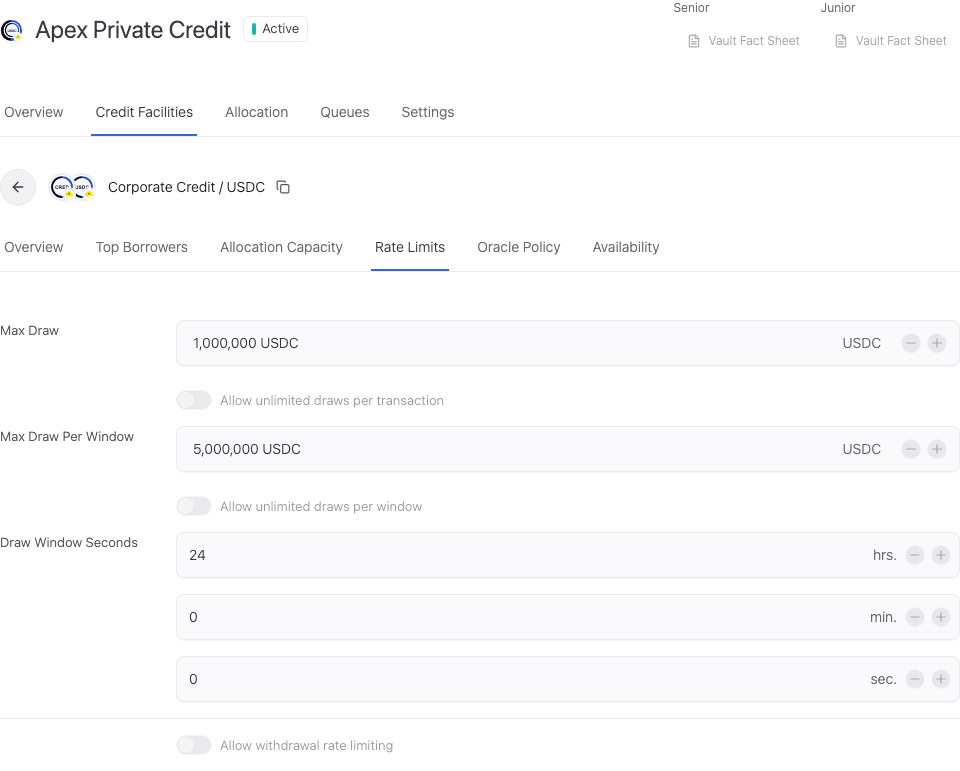
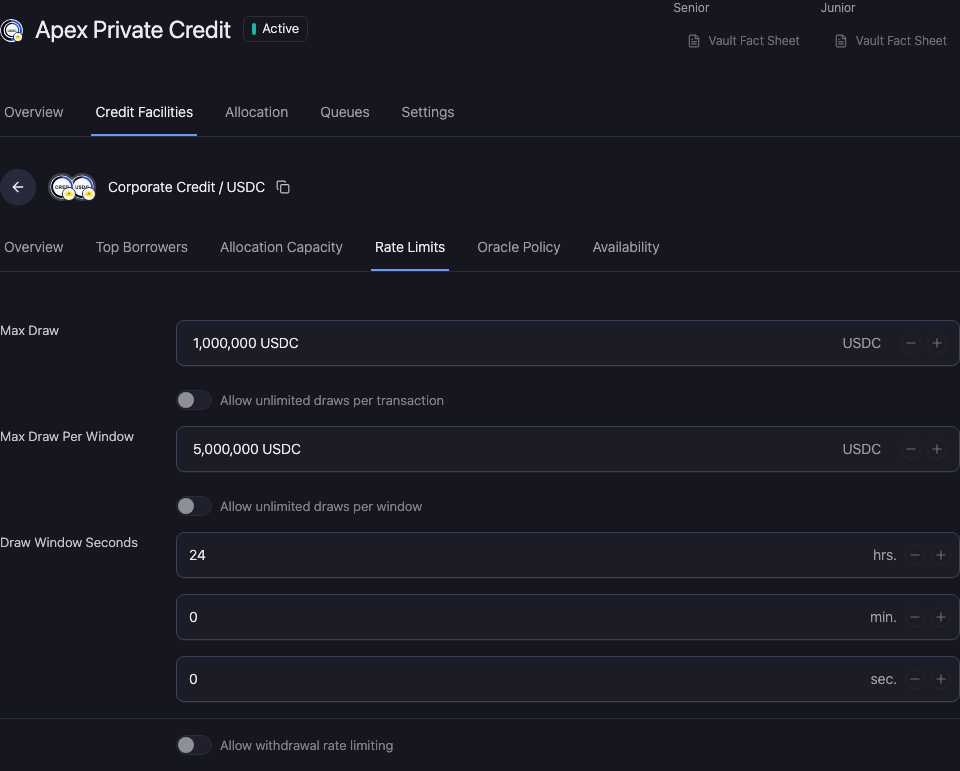
Limit borrower draws
- Max Draw Per Transaction: maximum amount for one draw. The amount uses the loan asset shown in the control.
- Max Draw Per Window: maximum aggregate draw amount during the configured window.
- Draw Window Seconds: enter the duration through the hrs., min., and sec. controls.
- Unlimited: removes the corresponding ceiling where supported. Other eligibility, collateral, capacity, and policy checks still apply.
A transaction limit and a window limit serve different purposes. Changing the window does not make unavailable capital available.
Configure the conditional withdrawal rate limit
Enable the withdrawal rate-limit policy only when the mandate requires it. The enabled path exposes the amount per window, window length, and policy start and end controls.
Check the asset-denominated amount, duration, and effective policy dates together. The policy is scoped to the selected vault-market relationship. Do not confuse it with an investor's redemption notice or queue claim.
Check the saved policy
Reopen Rate Limits after completion. Confirm each limit, Unlimited selection, duration component, and conditional policy value. Review a blocked draw against the relevant transaction or window limit before retrying.
Review and verify the change
Open Workspace Update and check the vault, selected facility, changed values, and signing wallet. Metadata-only updates and updates that include an onchain write have different execution steps.
Complete the required approval or wallet action. Wait for the saved value to appear, reopen the same record, and reload. A wallet confirmation alone does not establish the final saved state.
If the saved value has not updated, check the operation status and freshness before resubmitting. Keep the original transaction or request reference to avoid duplicating a pending action.