

Skip to content

Interest Rate Models

Open the relevant record

Open the saved IRM or its Add action. Choose the supported model and review its active parameters, staged changes, and owning authority. A rate model and a current earned yield are distinct.

Review interest rate models

Interest Rate Models are facility rate-policy fields. Asset Managers review adaptive settings, staged settings, transitions, emergency overrides, reserve factors, lender floors, and spread policy.
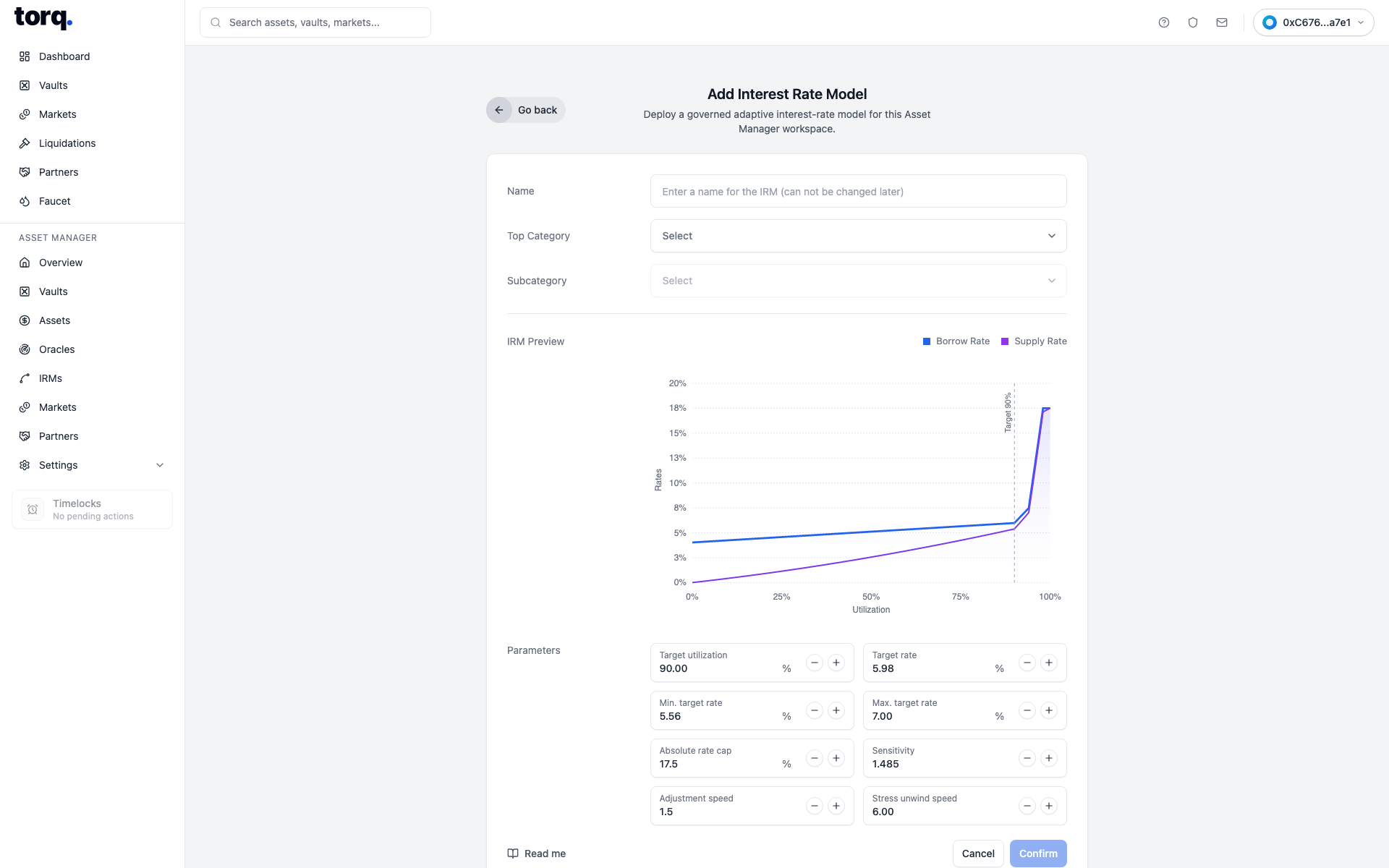
Real Torq Asset Manager IRM setup modal

IRM
Select an approved interest rate model where the screen exposes a picker.
Sets the market rate policy implementation.
Model kind
Choose adaptive or staged adaptive curve where exposed.
Sets the IRM family.
Preset
Choose a preset curve profile.
Prefills rate-curve inputs.
Target utilization
Enter target utilization percentage.
Sets the utilization point the IRM tries to center around.
Initial rate at target APR
Enter initial APR at target utilization.
Sets starting target APR.
Minimum rate at target APR
Enter minimum APR.
Sets lower rate bound.
Maximum rate at target APR
Enter maximum APR.
Sets upper rate bound.
Curve steepness
Enter curve steepness scalar.
Sets how sharply rates respond away from target.
Adjustment speed per year
Enter annual adjustment speed.
Sets adaptive rate movement speed.
Stress unwind adjustment speed per year
Enter staged stress-unwind speed where exposed.
Sets staged recovery speed.

Complete and verify

For a change, review the active inputs, selected object, recipient where relevant, and required authority. Complete the supported approval or signing action, then reopen the saved record and reload.

For a read-only review, check current freshness and the relevant accepted or completed state. An unavailable value is not zero; a pending operation is not a completed change.

Continue with the workspace guide or troubleshooting.